
07-10-2023 9:00 am - 07-10-2023 6:00 pm
TBD
Become a Power BI Data analyst in a day. This program is a class room based , instructor-led workshop on Power BI skills.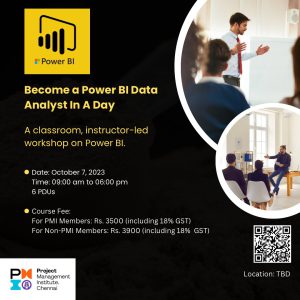
Description
As a Power BI data analyst, you can provide meaningful business value through easy-to-comprehend data visualizations, enable others to perform self-service analytics, and deploy and configure solutions for consumption using Microsoft’s Power BI. In this program, you will learn the step-by-step procedure of generating valuable insights in your data by using Power BI desktop and Power BI service.
Why should you attend?
We have more data than we can use. Data is generated by people, processes, tools, operations and more. With this data exploding every day, using business intelligence tools has now become a mandate to analyze trends and make predictions. Among the intelligence tools, Microsoft Power BI is the widely used product and has been positioned as the leader in the 2023 Gartner Magic Quadrant for Analytics and Business Intelligence Platforms.
You should attend this program, if …
+ You live with data every day!
+ You are a data analyst!
+ You want to securely distribute reports and dashboards
+ You want to have one source of truth
What are the pre-requisites to attend this program?
+ Experience in using basic features of Excel – sheets, tables, formulas
+ (Optional) Writing SQL queries in any database
+ Windows laptop with Power BI desktop (Power BI desktop is free), Excel, Word, PowerPoint
+ You will be asked to sign up for a free 60-day Power BI service
+ Internet connection (required to publish content to Power BI service)
After the program, you will be able to …
1. Prepare the data
1.1. Get data from data sources
1.1.1. Identify and connect to a data source
1.1.2 Choose between Import, DirectQuery and Dual mode
1.2. Clean the data
1.2.1. Evaluate data including statistics and properties
1.2.2. Resolve data quality issues
1.3. Transform and load the data
1.3.1. Select appropriate column data types
1.3.2. Create and transform columns
1.3.3. Design a star schema
1.3.4. Identify and create appropriate keys for relationship
1.3.5. Configure data loading for queries
2. Model the data
2.1. Design and implement a data model
2.1.1. Configure table and column properties
2.1.2. Define a relationship’s cardinality and cross-filter direction
2.2. Create model calculations by using DAX
2.2.1. Create single aggregation measures
2.2.2. Create semi-addictive measures
2.2.3. Create measures using quick measures and copilot
3. Visualize and analyze the data
3.1. Create reports
3.1.1. Identify and implement appropriate visualizations
3.1.2. Apply slicing and filtering
3.1.3. Configure report, page, and visuals
3.2. Enhance story telling
3.2.1. Configure bookmarks
3.2.2. Drill down into data
3.2.3. Incorporate Q&A feature
4. Deploy and share
4.1. Create and manage workspace
4.1.1. Create and configure a workspace
4.1.2. Assign workspace roles
4.1.3. Create dashboards
4.1.4. Choose the distribution method
4.2. Manage data
4.2.1. Manage dataset refresh
4.2.2. Provide access to datasets
About the Speaker:
Mr. B Sai Prasad, PMP®, PMI-SP® has been associated with MPUG since 2012. He got introduced to Microsoft Project and Power BI “accidentally” at work. Through exploration and research, he learned how to and how not to use these products. To help those who might have similar challenges, he started contributing by answering questions in MPUG forums, followed by authoring articles to benefit the larger community. With the support of Melanie Cosklo, President of MPUG, he founded MPUG Chennai Chapter in India. He and his volunteers mobilize speakers, sponsors, and audiences to make every chapter event successful.
Apart from Microsoft Project, he is the past Champion of Project Management from PMI India and also Champion Advisory Committee, PMI India. He is awarded the Champion of the Quarter (Q4 – 2012) and Delivery Excellence Award (2011-2012, 2012-2013) from PMI India. He’s also the editor of the project management book, Forecast Scheduling with Project 2010 and Forecast Scheduling with Project 2013. Microsoft recognized his effort and was awarded the prestigious Microsoft Most Valuable Professional award eight times in a row since 2014.